
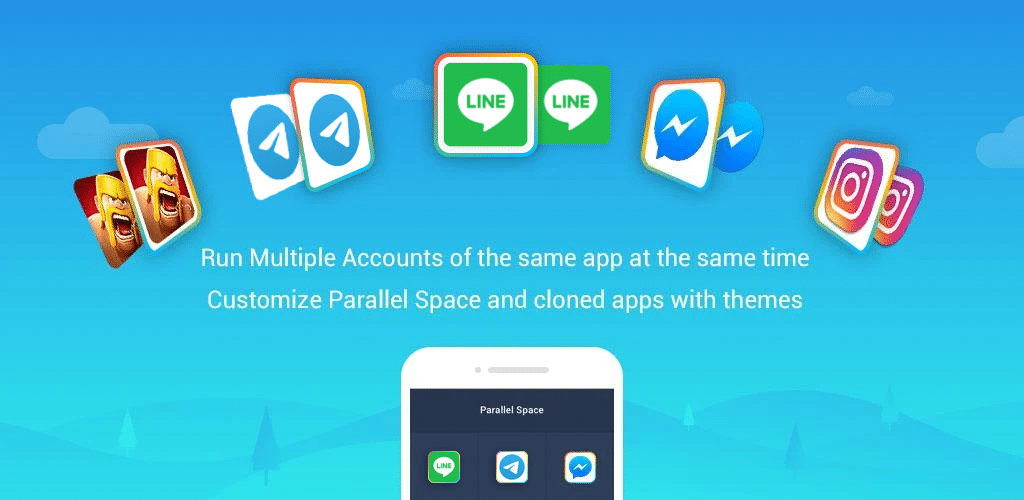
Телефон, на котором живет ваша работа, второй номер WhatsApp, личный Instagram, finsta, подозрительный APK от Telegram и приложение банка — нуждается в способе держать эти миры отдельно. Приложения-клонеры для Android делают это возможным двумя способами: инструменты двойного экземпляра, которые запускают две копии одного приложения рядом, и инструменты изоляции, которые помещают ненадежные приложения за стеной рабочего профиля, чтобы они не могли прочитать ваши контакты, увидеть местоположение или связаться с вашими реальными аккаунтами.
Мы протестировали семь лучших приложений-клонеров для Android в 2026 году. Каждое было оценено по тому, как чисто оно дублирует приложение, какую изоляцию разрешений оно действительно обеспечивает, выживает ли оно при обновлении Android и сколько стоит, когда бесплатный уровень исчерпывается.
На что обратить внимание в приложении-клонере для Android
Категория делится на два лагеря, и разница между ними важнее любого списка функций.
- Дублирование или изоляция. Приложения двойного экземпляра запускают вторую копию, которая делит ваши данные, контакты и хранилище. Приложения рабочего профиля создают закрытый контейнер, в который исходное приложение не может заглянуть. Выбирите модель, которая соответствует тому, что вы действительно пытаетесь сделать.
- Разводка разрешений. Самые мощные инструменты маршрутизируют запросы уведомлений, местоположения, камеры и хранилища через свой собственный слой разрешений. Более слабые просто пропускают все через Android.
- Выживание при обновлениях. Некоторые клоны ломаются в момент обновления основного приложения. Ищите активную разработку в 2025-2026 годах, а не дату последнего обновления в 2021 году.
- Объявления, трекеры и требования аккаунтов. Несколько бесплатных приложений двойного пространства показывают объявления при каждом запуске и объединяют SDK, которые экспортируют данные устройства. Приведенные ниже варианты с открытым исходным кодом избегают обоих.
- Совместимость с банковскими и DRM приложениями. Многие финансовые приложения отказываются запускаться внутри клона в целях защиты от мошенничества. Если вам нужен второй WhatsApp Business, но не дублированное банковское приложение, это хорошо. Если нет, учитывайте это.
- Стоимость хранилища. Каждый клон запускает собственную копию приложения и его данные. Два тяжелых приложения легко могут съесть 1-2 ГБ.
Быстрое сравнение
| Приложение | Лучше всего для | Бесплатный план | Платный уровень | Открытый исходный код |
|---|---|---|---|---|
| Parallel Space | Самый популярный инструмент двойного пространства | Да, с объявлениями | Pro удаляет объявления | Нет |
| Dual Space | Поддержка легких 64-бит | Да, с объявлениями | Pro уровень | Нет |
| 2Accounts | Чистые двойные WhatsApp / Telegram | Да, с объявлениями | Pro удаляет объявления | Нет |
| Multi Parallel | До 99 клонов | Да, с объявлениями | Pro уровень | Нет |
| App Cloner | Настройка для каждого клона | Бесплатно для одного клона | Premium одноразовый | Нет |
| Island | Настоящая изоляция рабочего профиля | Да | Бесплатно | Да |
| Shelter | FOSS песочница рабочего профиля | Да | Бесплатно | Да |
7 лучших приложений-клонеров для Android в 2026 году
1. Parallel Space – лучше всего для двух аккаунтов на одном приложении
Parallel Space остается самым установленным приложением двойного пространства на Android в 2026 году с более чем 100 миллионами загрузок на Aptoide и Google Play вместе. Добавьте WhatsApp, Instagram, Facebook, Telegram или любую игру, и Parallel Space запускает второй экземпляр с собственным входом и уведомлениями. Модуль 64-бит делает его работающим на более новых версиях Android, где многие клонеры сломались.
Где он отстает: Бесплатный уровень показывает объявления при каждом запуске приложения внутри Parallel Space, и SDK критиковали за сбор данных устройства. Некоторые банковские приложения обнаруживают параллельную среду и отказываются запускаться.
Цены:
- Бесплатно: Неограниченные клоны, с объявлениями.
- Pro: Удаляет объявления, несколько косметических тем, одноразовое обновление.
Платформы: Только Android.
Суть: Используйте Parallel Space, если вам нужен самый быстрый путь ко второму WhatsApp или дублированному Instagram и вы не запускаете банковские приложения внутри него.
2. Dual Space – лучше всего для старых телефонов и легких установок
Dual Space — давний соперник Parallel Space, и на 64-битных телефонах он обычно использует меньше оперативной памяти, чем альтернатива. Интерфейс простой (сетка ваших клонированных приложений), он поддерживает почти каждое приложение из Play Store, и уведомления от клонированных приложений включают небольной значок, чтобы вы знали, какая копия сработала.
Где он отстает: Объявления агрессивны на бесплатном уровне и внутриприложенные предложения покупок для функций “boost” складываются. Как и любой инструмент двойного пространства, игры с защитой от читеров обнаружат виртуальную среду и заблокируют аккаунт.
Цены:
- Бесплатно: Неограниченные клоны с объявлениями.
- Pro: Одноразовый платеж удаляет объявления и разблокирует темы.
Платформы: Только Android.
Суть: Dual Space — самый простой клонер, если у вас старый телефон или телефон с низкой оперативной памятью и вам в основном нужен второй аккаунт сообщений.
3. 2Accounts – лучше всего для дублирования приложений обмена сообщениями
2Accounts от Excelliance построен вокруг самого распространенного варианта использования: запуск двух WhatsApps, двух Telegrams или двух Messengers на одном телефоне. Установка — два касания на приложение, вторая копия использует отличный значок на вашем главном экране, и уведомления остаются правильно маршрутизированы на правильный аккаунт.
Где он отстает: Список приложений внутри 2Accounts предварительно выбран. Все, что находится вне их списка, требует дополнительного шага для добавления, и несколько системных приложений вообще не могут быть клонированы.
Цены:
- Бесплатно: Два клонированных приложения, с объявлениями.
- Pro: Удаляет объявления и снимает ограничение. Одноразовая плата.
Платформы: Только Android.
Суть: Выберите 2Accounts, если вам нужны только клонированные приложения обмена сообщениями и вы хотите самую дружелюбную установку.
4. Multi Parallel – лучше всего для запуска более двух копий
Multi Parallel тихо поддерживает до 99 клонов одного приложения, что избыточно для почти всех, но важно, если вы управляете социальными сетями для клиентов, управляете несколькими игровыми аккаунтами или ведете тестовые аккаунты для приложения, которое вы создаете. Каждый клон получает свои собственные данные, сеанс входа и поток уведомлений.
Где он отстает: Стабильность падает, когда вы переходите за четыре-пять активных клонов на среднем телефоне. Бесплатный уровень вставляет полноэкранное объявление при каждом нескольких запусках.
Цены:
- Бесплатно: Неограниченные клоны с объявлениями.
- Pro: Одноразовое обновление для удаления объявлений.
Платформы: Только Android.
Суть: Multi Parallel — это выбор, когда одной-двух копий недостаточно и вы не хотите жонглировать несколькими разными приложениями-клонерами.
5. App Cloner – лучше всего для настройки для каждого клона
App Cloner подходит к категории иначе: вместо запуска клонов внутри хост-приложения, он создает свежий APK с новым именем пакета, новым значком и длинным списком настроек. Вы можете дать клону свою цветовую схему, принудить другой язык, добавить блокировку паролем, изменить его параметры прокси или даже удалить разрешения, которые просит исходное. Выходной результат — автономное приложение, которое выживает при удалении клонера.
Где он отстает: Бесплатный уровень создает только один клон и блокирует большинство интересных настроек за Premium. App Cloner создает большие APK, часто в два раза больше, чем исходный.
Цены:
- Бесплатно: Один базовый клон с ограниченными настройками.
- Premium: Одноразовый платеж разблокирует неограниченные клоны и все опции.
Платформы: Только Android.
Суть: Купите App Cloner Premium, если вы хотите клоны, которые выглядят иначе, чем оригинал и лучше выживают при обновлениях Android, чем инструменты виртуальных пространств.
6. Island – лучше всего для изоляции ненадежных приложений
Island использует собственную функцию рабочего профиля Android, чтобы поместить приложения в запечатанный контейнер, который не может увидеть ваши реальные контакты, календарь, фотографии или аккаунты. Это ближайший к Windows Sandbox на Android: перетащите подозрительное приложение на остров и оно будет там без контакта с вашими личными данными. Island также позволяет вам заморозить приложения, когда вы ими не пользуетесь, что убивает их фоновую активность без удаления.
Где он отстает: Установка более сложна, чем инструменты двойного пространства (вы подготавливаете управляемый профиль через ADB на большинстве современных версий Android) и небольшое количество приложений отказываются работать внутри любого рабочего профиля.
Цены:
- Бесплатно, без объявлений.
Платформы: Только Android. С открытым исходным кодом.
Суть: Используйте Island, если ваша цель — изоляция конфиденциальности, а не запуск двух копий WhatsApp.
7. Shelter – лучше всего полностью открытая песочница
Shelter — это построенный сообществом менеджер рабочего профиля, который делает бесплатно то, что делает Island, с более чистым интерфейсом и строгой политикой без трекеров. Это доступно на F-Droid, полностью открытый исходный код, и единственные сетевые вызовы, которые оно делает, — это те, что внутри приложений, которые вы помещаете в песочницу. Используйте его для установки чрезмерно ревнивого приложения вашего банка, запуска клона WhatsApp под вашим рабочим номером или помещения в карантин приложений, которые вам нужны только раз в году.
Где он отстает: Нет активной функции двойного экземпляра для одного приложения на большинстве устройств, и та же шаг подготовки ADB, что и Island, требуется на более новых версиях Android.
Цены:
- Бесплатно, без объявлений, пожертвования приветствуются.
Платформы: Только Android. Открытый исходный код (GPL).
Суть: Shelter — правильный выбор, если вы хотите самую сильную возможную изоляцию и вы больше доверяете программному обеспечению с открытым исходным кодом, чем приложениям с двойным пространством, финансируемым объявлениями.
Как выбрать правильный
- Если вы хотите второй WhatsApp в два касания: 2Accounts.
- Если вы хотите бесплатное, поддерживаемое объявлениями двойное пространство для любого приложения: Parallel Space или Dual Space.
- Если вам нужно больше четырех копий одного приложения: Multi Parallel.
- Если вы хотите, чтобы каждый клон был автономным APK с его собственным значком и настройками: App Cloner Premium.
- Если ваша цель — защита от ненадежных установщиков, а не клонирование: Island.
- Если вы хотите ту же изоляцию без объявлений, без трекеров и с открытым кодом: Shelter.
- Пропустите каждый клонер, если вам нужно только запустить банковское приложение дважды. Слой обнаружения мошенничества почти всегда побеждает.
FAQ
Безопасны ли приложения-клонеры для Android? Механизм безопасен, сами приложения смешаны. Инструменты двойного пространства от крупных издателей бесплатных приложений часто объединяют SDK отслеживания. Варианты с открытым исходным кодом, такие как Island и Shelter, используют собственный API рабочего профиля Android, без проприетарного кода в пути.
Могу ли я клонировать WhatsApp без root? Да. Все семь приложений из этого списка работают без root. Функция Linked Devices самого WhatsApp также позволяет одному номеру жить на нескольких телефонах, что иногда лучше подходит, чем клонирование.
Будет ли работать клонированное банковское приложение? Обычно нет. Большинство банковских приложений обнаруживают виртуальные среды и отказываются запускаться в целях защиты от мошенничества. Если вы должны использовать два банковских приложения, установите одно на свой личный профиль и другое в песочницу Island или Shelter, где оно видит реальный, не виртуализированный Android.
Истощают ли приложения-клонеры батарею? Вторая копия тяжелого приложения использует примерно столько же батареи, сколько первая. Сам слой клонирования добавляет 1-3% на большинстве телефонов. Замораживание клонов, когда они не используются (это делают Island и Shelter), избегает затрат.
В чем разница между клонером приложений и рабочим профилем? Клонеры запускают виртуальную копию приложения внутри своего собственного процесса. Рабочий профиль — это встроенная в Android песочница: полностью отдельная идентификация пользователя с собственными приложениями, аккаунтами и хранилищем. Island и Shelter используют рабочие профили. Parallel Space, Dual Space, 2Accounts и Multi Parallel используют виртуальные среды.

