LM Studio — это самый простой способ для большинства людей начать запускать локальные модели, но со временем он перестаёт быть правильным выбором. Настольное приложение закрыто от просмотра кода, интерфейс старается оставаться на переднем плане при каждом запросе, а серверный режим без графики скрыт в настройках, которые многие так и не находят. Если вы хотите встроить модель в другое приложение, поделиться ею в локальной сети или запустить её на домашнем сервере без интерфейса, всё это усложняется.
Мы протестировали семь альтернатив LM Studio на настольных ПК, в веб и на Android. В список входят открытый интерфейс, максимально приближенный к LM Studio, инструмент с интерфейсом командной строки, которому отдают предпочтение разработчики, два веб-интерфейса, приложение с поддержкой RAG для работы с документами и две опции на Android для запуска квантованных моделей на телефоне.
Быстрое сравнение
| Приложение | Лучше всего подходит для | Бесплатный план | Начальная цена/мес | Отличительная особенность |
|---|---|---|---|---|
| Ollama | Серверный вывод моделей и разработка | Да, полный | Бесплатно | OpenAI-совместимое API без настройки |
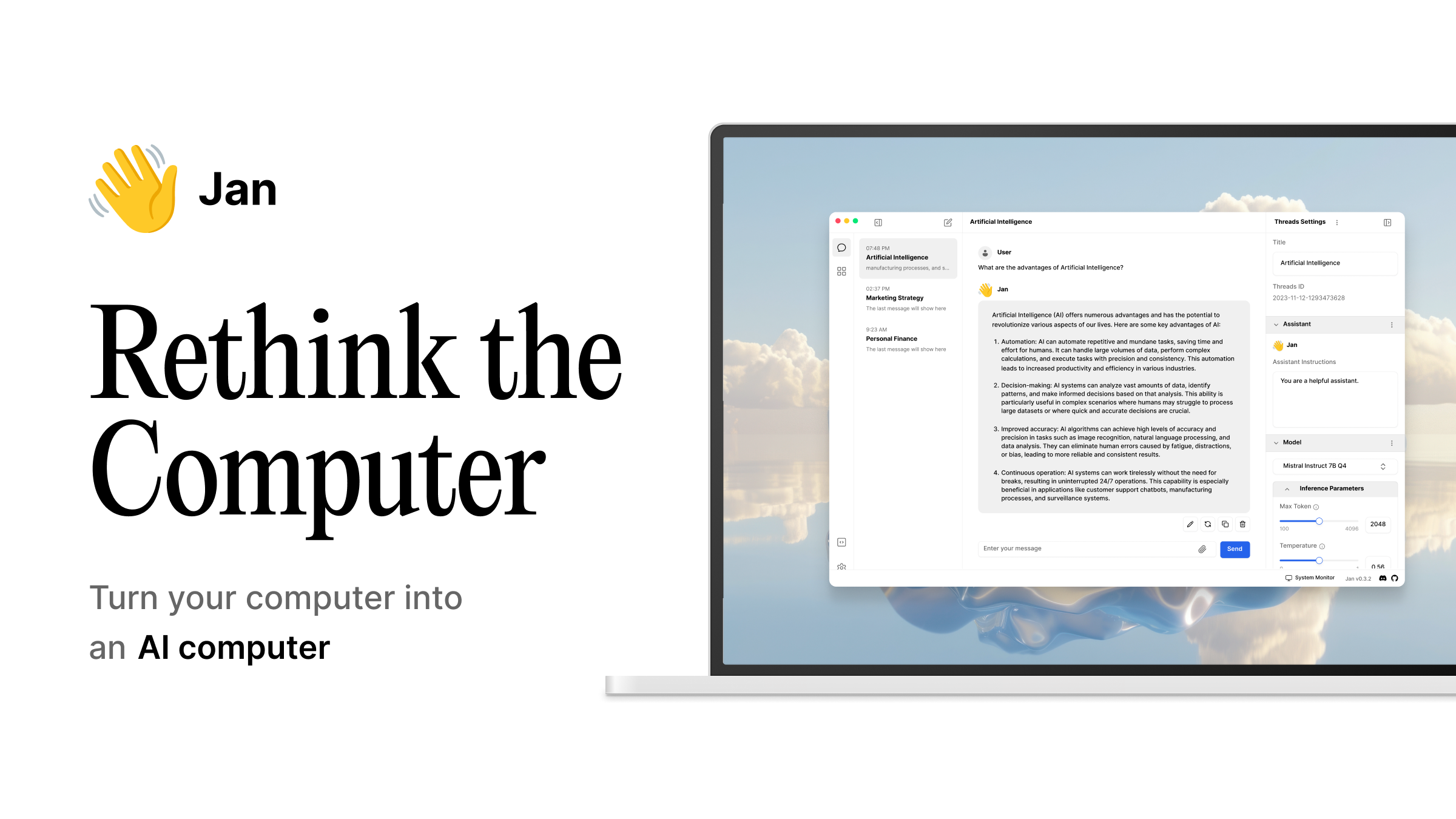
| Jan | Самая близкая открытая альтернатива GUI | Да, полный | Бесплатно | Такой же внешний вид как LM Studio, исходный код AGPLv3 |
| GPT4All | Приватность для одного пользователя | Да, полный | Бесплатно | Локальный чат с документами без выхода в сеть |
| Open WebUI | Многопользовательский веб-интерфейс | Да, полный | Бесплатно (самостоятельный хостинг) | Веб-интерфейс над Ollama или любым OpenAI API |
| AnythingLLM | Работа с вашими собственными файлами | Да, полный | Бесплатно (самостоятельный хостинг) | RAG над PDF, сайтами и заметками |
| MLC Chat | Запуск моделей на Android | Да, полный | Бесплатно | Вывод на устройстве без сервера |
| Maid | Открытый чат для Android | Да, полный | Бесплатно | Обёртка llama.cpp с выбором модели |
Почему люди уходят из LM Studio
Жалобы одинаковые во всех форумах и постах о миграции.
Это закрытый исходный код. Загрузчик моделей работает хорошо, но вы не можете его проверить, создать форк или убрать ненужные части. Для пользователей, которые выбрали локальные LLM чтобы избежать передачи данных поставщику, запуск закрытого бинарного файла кажется противоречивым.
Интерфейс мешает, когда вам нужен API. Вы можете включить локальный сервер, но история его поиска неудобная и приложение хочет оставаться на переднем плане. На серверах без графики это совсем неподходящая форма.
Производительность нормальная, но не лучшая в своём классе. Для Apple Silicon и скромных моделей LM Studio сравним с Ollama. Для больших контекстов, пакетного вывода или продакшена более специализированные системы лучше.
Хранилище моделей удобно в использовании, но с предубеждениями. Оно загружает модели через собственное зеркало со своими метаданными, что удобно до тех пор, пока нужной вам квантизации нет и приходится всё делать вручную.
Альтернативы
Ollama, серверный вариант по умолчанию, на котором оседают разработчики
Ollama — это система, которая оказывается на большинстве машин разработчиков когда увлечение LM Studio заканчивается. Она работает как фоновый сервис, предоставляет OpenAI-совместимое API на localhost:11434 и обращается с моделями как с пакетами командной строки которые вы получаете командой pull и запускаете run. Другие приложения, включая большинство веб-интерфейсов ниже, используют его как бэкенд.
Где она отстаёт: Нет настоящего интерфейса. Опыт чатования живёт в терминале или в любом интерфейсе который вы подключите. Новичков, которые полюбили LM Studio за кнопки, это не порадует.
Цены:
- Бесплатно: Всё. Система под лицензией MIT, модели из публичной библиотеки или любой GGUF по вашему указанию.
- Платно: Нет.
- vs LM Studio: Дешевле в использовании ресурсов потому что нет Electron оболочки, одинаково в цене модели (бесплатно).
Миграция с LM Studio: Перезагрузите нужные вам модели командой ollama pull. Направьте существующих OpenAI-API клиентов на http://localhost:11434/v1. Среднеразмерный каталог переходит за вечер, в основном ждёте диск.
Загрузка: Установщик для настольных ПК на ollama.com для macOS, Windows и Linux. Docker образ для серверов.
Вывод: Выбирайте это если хотите локальный LLM эквивалент тихого демона. Пропустите если вам нужно окно чата без написания собственного.
Jan, самая близкая открытая замена интерфейса
Jan — это форма LM Studio нарисованная заново в открытом коде. Настольное приложение имеет знакомый раскладку с чатом слева, настройками справа, встроенный хаб моделей и локальный API сервер который работает без затруднений. Весь исходный код на GitHub под AGPLv3, что вы не получаете от LM Studio.
Где он отстаёт: Это молодой проект, поэтому видны некоторые шероховатости. Некоторые квантизации которые есть в каталоге LM Studio не предварительно указаны, и очень большие модели могут вызвать падение интерфейса на машинах с ограниченной памятью.
Цены:
- Бесплатно: Все возможности настольного приложения, все модели которые вы импортируете, весь доступ API.
- Платно: Нет.
- vs LM Studio: Та же цена, более проверяемый код, немного меньше моделей в один клик.
Миграция с LM Studio: Скопируйте ваши GGUF файлы в каталог моделей Jan и направьте на них диалоги. Диалоги не переносятся, но большинство пользователей их всё равно держат в приложении для заметок.
Загрузка: Установщик для настольных ПК на jan.ai для macOS, Windows и Linux.
Вывод: Выбирайте если единственная причина остаться на LM Studio это раскладка. Пропустите если вам нужна система в первую очередь и окно во вторую.
GPT4All, вариант с приватностью для одного пользователя
GPT4All существует со времён волны локальных LLM и вырос в сосредоточенный инструмент. Суть проста: говорите с моделью, опционально говорите с локальными документами и никогда не позволяйте обоим касаться сети. Его поддерживает команда Nomic и приложение остаётся лёгким.
Где он отстаёт: Выбор моделей меньше чем у Ollama или LM Studio, и интерфейс чата более простой. Продвинутые пользователи которые хотят менять настройки семплирования упрутся в стену.
Цены:
- Бесплатно: Полное настольное приложение, чат с локальными документами, загрузка моделей.
- Платно: Нет для основного приложения. Nomic продаёт корпоративную лицензию для организаций которые хотят поддержку.
- vs LM Studio: Та же цена, более строгая приватность, меньше каталог.
Миграция с LM Studio: Направьте GPT4All на ту же папку GGUF. Коллекции документов пересчитываются внутри приложения, что занимает несколько минут на папку.
Загрузка: Установщик для настольных ПК на gpt4all.io для macOS, Windows и Linux.
Вывод: Выбирайте если вы в основном хотите говорить с одной моделью и своими файлами в одиночку. Пропустите если вам нужен API или доступ для нескольких пользователей.
Open WebUI, веб-интерфейс над вашим собственным сервером
Open WebUI — это проект который запускают люди когда понимают что использовали LM Studio только ради панели чата. Это самохостинг веб-интерфейса, запускается в Docker за несколько минут и подключается к Ollama или любой OpenAI-совместимой точке. Несколько человек на одной сети могут войти и использовать один бэкенд.
Где он отстаёт: Он не запускает модели сам. Вам всё равно нужна система, почти всегда Ollama, позади него. Установка на один шаг длиннее чем установка настольного приложения.
Цены:
- Бесплатно: Всё целиком. Лицензия BSD-3.
- Платно: Нет.
- vs LM Studio: Та же цена, многопользовательский, только браузер.
Миграция с LM Studio: Запустите Ollama, скачайте те же модели, направьте Open WebUI на него, войдите. История чата начинается с нуля.
Загрузка: Самохостинг на openwebui.com. Docker, Helm и исходный код на GitHub.
Вывод: Выбирайте если более одного человека использует машину которая держит ваши модели. Пропустите если вы не запускаете ничего другого на домашнем сервере.
AnythingLLM, приложение RAG для работы с файлами
AnythingLLM обращается с локальными LLM как со слоем чата над вашими документами. Вы загружаете PDF, вставляете URL, направляете на папки markdown и оно разбивает, встраивает и индексирует всё. Чат затем отвечает используя цитаты из ваших файлов вместо знаний модели.
Где он отстаёт: Шаг выбора модели спрятан под конфигурацией RAG. Если вы просто хотите окно чата, это слишком много приложения.
Цены:
- Бесплатно: Настольное приложение, один пользователь, неограниченные рабочие пространства.
- Платно: AnythingLLM Cloud начинается со скромной ежемесячной платы за размещённые многопользовательские установки; самохостинг остаётся бесплатным.
- vs LM Studio: Та же цена на настольном ПК, совершенно другая форма (RAG в первую очередь, не чат).
Миграция с LM Studio: Подключите его к Ollama или собственному серверу LM Studio как бэкенду вывода. Загрузите ваши файлы. Первый проход индекса занимает время, после этого запросы быстрые.
Загрузка: Установщик для настольных ПК на anythingllm.com для macOS, Windows и Linux.
Вывод: Выбирайте если ваш настоящий случай использования это вопросы о папке документов. Пропустите если вам в основном нужен сырой чат с моделью.
MLC Chat, локальные LLM на Android
MLC Chat — это ответ со стороны Android для людей которым понравилась идея LM Studio настолько что хотят её в кармане. Приложение компилирует маленькие модели для GPU устройства и запускает вывод полностью на телефоне. Нет сервера, нет ключа API и нет сетевого круга.
Где он отстаёт: Телефоны это не рабочие станции. Вы запускаете квантованные модели с 1-3B параметрами, которые полезны для коротких запросов и оффлайн черновиков но не для серьёзного кодирования или длинных контекстов.
Цены:
- Бесплатно: Полное приложение, все встроенные модели.
- Платно: Нет.
- vs LM Studio: Та же цена, совершенно другое оборудование.
Миграция с LM Studio: Не прямая миграция, больше расширение. Держите LM Studio на настольном ПК для тяжёлых запросов, установите MLC Chat для времён когда вы не можете его достичь.
Вывод: Выбирайте если хотите локальную модель на Android для коротких оффлайн задач. Пропустите если ваш телефон среднего класса или старше.
Maid, открытый чат для Android на llama.cpp
Maid — это собранная сообществом обёртка Flutter вокруг llama.cpp которая позволяет загружать любой GGUF который у вас есть на устройстве. Представьте себе урезанный LM Studio для Android: выбор модели, панель чата, слайдеры параметров семплирования и ничего больше. Исходный код на GitHub и приложение распространяется через F-Droid.
Где оно отстаёт: Модели не идут предустановленные. Вы переносите GGUF файл с рабочего стола или загружаете один в приложении, что медленнее чем подобранный опыт LM Studio на ноутбуке.
Цены:
- Бесплатно: Полное приложение и исходный код.
- Платно: Нет.
- vs LM Studio: Та же цена, полностью открытый исходный код, работает на телефоне вместо рабочего стола.
Миграция с LM Studio: Скопируйте GGUF файлы на устройство, направьте Maid на папку, выберите один и говорите. Параметры семплирования переносятся концептуально если не точно.
Загрузка: Выпуски также опубликованы на GitHub.
Вывод: Выбирайте если вы хотите дух LM Studio на телефоне и цените видеть код. Пропустите если подобранные списки моделей для вас важны.
Как выбрать
Большинство читателей должны начать с Ollama. Это локальный LLM эквивалент установки Postgres, тихий и переиспользуемый. Соедините его с Open WebUI если хотите веб-интерфейс, с AnythingLLM если хотите говорить с документами, или ни с чем если терминал в порядке.
Выбирайте Jan если единственное что держало вас на LM Studio это раскладка интерфейса. Та же позиция, открытый исходный код.
Выбирайте GPT4All если вы живёте один в вашем рабочем процессе с моделями и в основном хотите оффлайн чат с документами. Это одно дело делает хорошо.
Выбирайте MLC Chat или Maid только как дополнение, не замену. Оборудование класса телефона не может делать работу которую делает LM Studio на рабочем столе, но этого достаточно для оффлайн черновиков и быстрых поисков.
Останьтесь на LM Studio если закрытый исходный код вас не беспокоит, вы запускаете только несколько моделей и установщик в один клик стоит больше чем любые из перечисленных выше компромиссов.
FAQ
Какая лучшая бесплатная альтернатива LM Studio? Ollama для большинства пользователей. Она полностью бесплатна, под лицензией MIT, поддерживает те же модели и предоставляет OpenAI-совместимое API которое другие инструменты подключают. Если вы хотите окно вместо терминала, соедините его с Open WebUI или выбирайте Jan.
Существует ли открытый исходный код LM Studio? Jan это ближайшее открытое зеркало формы LM Studio, выпущенное под AGPLv3 с исходным кодом на GitHub. Ollama открыта как система но не поставляет интерфейс. GPT4All, Open WebUI, AnythingLLM и Maid это всё открытый исходный код тоже.
Могу ли я запускать альтернативы LM Studio на Android? Да. И MLC Chat и Maid запускают квантованные модели полностью на устройстве без сети. Они медленнее чем ноутбук и ограничены меньшим числом параметров, но они работают оффлайн. Для больших моделей запустите сервер дома и дотягивайтесь до него с телефона через Tailscale или VPN.
Ollama полностью заменяет LM Studio? Для людей которые использовали LM Studio как систему, да. Для людей которые использовали её как интерфейс, нет, не без фронтенда. Наиболее распространённая установка это Ollama плюс либо Open WebUI либо тонкий настольный клиент.
Стоит ли LM Studio использовать в 2026? Это хорошо для случайного чата с одним пользователем на ноутбуке. Когда вам нужен API, доступ нескольких пользователей, RAG или что-либо что вы бы скриптировали, открытые альтернативы выше останавливают вас ничего не стоя.