ProCCD от Cerdillac копирует UI компактных камер конца 1990-х вплоть до массивного безеля и малиновой временной метки. Четыре классических стиля (Z30, IXUS95, U300, M532) - причина, по которой его установили 20 миллионов человек, но новые пресеты DCR, dazz и Y2K спрятаны за подпиской, и внутриприложное предложение всплывает каждый раз при открытии белого альбома.
Если вы ищете альтернативы ProCCD с большим количеством пленочных эффектов, без платного контента или с поддержкой движения и 3D, несколько приложений теперь охватывают ту же ностальгию. Мы протестировали семь и ранжировали их по диапазону фильтров, политике водяных знаков и общей годовой стоимости.
Быстрое сравнение
| Приложение | Лучше всего для | Бесплатный план | Начальная цена | Платформы |
|---|---|---|---|---|
| KAPI Cam | Режим DV видеокамеры плюс CCD снимки | Да, без рекламы | От 2,99 доллара в месяц или 19,99 доллара в год | Android, iOS |
| NOMO CAM | Polaroid и мгновенные снимки | Да, ограниченные камеры | От 3,99 доллара в месяц или 19,99 доллара в год | Android, iOS |
| OldRoll | Одноразовые камеры с ожиданием проявления | Да, ограниченные эффекты | От 4,99 доллара в месяц или 29,99 доллара в год | Android, iOS |
| Huji Cam | 35 мм утечки света одним касанием | Да, с рекламой | От 0,99 доллара один раз на iOS | Android, iOS |
| Loopsie | 3D глубина и пиксель-лупная анимация | Да, с водяным знаком | От 4,99 доллара в месяц или 29,99 доллара в год | Android, iOS |
| Lomography App | Винтажный каталог фильтров с ручным ISO | Да, с рекламой | От 3,99 доллара в месяц | Android |
| VSCO | Пленочные пресеты для фото и видео | Да, базовый набор пресетов | От 7,99 доллара в месяц или 29,99 доллара в год | Android, iOS |
Почему люди переходят от ProCCD
Лучшие фильтры скрыты за подпиской. Z30, IXUS95, U300 и M532 бесплатны, но DCR, dazz и новые пакеты Y2K требуют Pro. Рецензенты говорят, что платный контент появляется на первой же сессии.
Водяные знаки на бесплатных экспортах. Всё, что сохранено из белого альбома без Pro, несёт логотип ProCCD в углу. Обрезки уменьшают изображение.
Видоискатель зависает на старых телефонах. Реальный предпросмотр CCD требует много ресурсов, и бюджетные устройства тормозят, когда утечки света и зерно складываются на экране.
Обновления библиотеки фильтров идут медленно. Cerdillac выпускает новые камеры каждые несколько месяцев, но рецензенты, уже установившие NOMO или OldRoll, интересуются, почему ProCCD не соответствует их темпу.
Лучшие альтернативы ProCCD
KAPI Cam, лучше всего для режима DV видеокамеры плюс CCD снимки
KAPI Cam от Sense Mobile - самый близкий прямой конкурент. CCD снимки выглядят почти идентично M532 от ProCCD, и KAPI добавляет режим DV видеокамеры с аутентичной строкой времени, зёрнистостью плёнки и наложением даты, которых ProCCD вообще не предоставляет.
KAPI Cam vs ProCCD на статичном снимке - равный бой. На видео KAPI явно побеждает, потому что видеоинструменты ProCCD ограничены наложением фильтра.
Где он не справляется: Меньше каталог камер для стоп-кадра, чем у ProCCD. Режим DV ограничен 720p, достаточно для вида начала 2000-х, но не для архивирования.
Цены:
- Бесплатно: Две CCD камеры и режим DV без водяного знака
- Pro: От 2,99 доллара в месяц или 19,99 доллара в год
- vs ProCCD: Дешевле на год и убирает водяной знак при каждом экспорте
Переход с ProCCD: Перезагрузите то же селфи и снимайте в режиме DV для видеоролика. Экспорт KAPI хорошо сочетается со снимками ProCCD, если вы хотите оба формата в одном карусельном посте.
Итого: Лучшая альтернатива ProCCD, когда проект включает видео, а не только стоп-кадры.
NOMO CAM, лучше всего для Polaroid и мгновенных снимков
NOMO CAM от Blink Academy - приложение, которое превратило имитацию плёнки на мобильнике в категорию товаров. Polaroid SX-70 и камеры мгновенной печати выводят на макет карточек, который ProCCD не предлагает, и опции временных меток ближе к оригинальному Polaroid штампу.
NOMO CAM vs ProCCD на Polaroid-стиле печати - явное преимущество. ProCCD не предоставляет истинный пресет мгновенной печати.
Где он не справляется: Большинство премиум-камер требуют покупки монет или Pro подписки. Бесплатный пакет меньше, чем четыре классических от ProCCD.
Цены:
- Бесплатно: Несколько стартовых камер (135 Pro, INS W) без водяного знака
- Pro: От 3,99 доллара в месяц или 19,99 доллара в год для полного каталога
- vs ProCCD: Сравнимая годовая стоимость с более широким каталогом и уникальным режимом Polaroid
Переход с ProCCD: Пересни одну сцену, используя режимы INS W или SX-70 от NOMO, затем выведи на макет карточек для готовых к публикации кадров.
Итого: Лучшая альтернатива ProCCD, когда цель - Polaroid-стиль печати, а не стоп-кадр.
OldRoll, лучше всего для одноразовых камер с ожиданием проявления
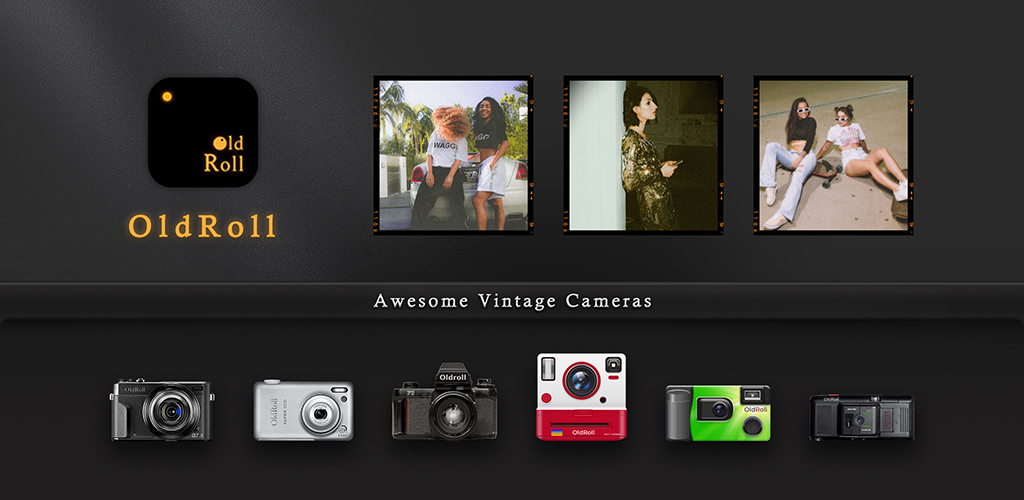
OldRoll от Accordion Vision воссоздаёт ритуал одноразовой камеры от начала до конца. Виртуальный рулон вмещает 27 снимков, и плёнка “проявляется” в течение ночи перед экспортом. Это может звучать странно, но это заставляет вас более внимательно компоновать кадры и создаёт более полные альбомы для публикации.
OldRoll vs ProCCD на фантазию одноразовой камеры - явное преимущество. ProCCD не имеет концепции рулона или времени проявления.
Где он не справляется: Ожидание может быть назойливым на работе. Премиум плёнки ротируют за подпиской.
Цены:
- Бесплатно: Три рулона и три стартовые камеры
- Pro: От 4,99 доллара в месяц или 29,99 доллара в год
- vs ProCCD: Сравнимая годовая стоимость с рабочим процессом одноразовой камеры
Переход с ProCCD: Загрузи камеру CCD-2003 OldRoll (ближайший к M532 ProCCD) и сни полный 27-кадровый рулон. Проявляй в течение ночи и сравни результаты.
Итого: Лучшая альтернатива ProCCD, когда ритуал одноразовой камеры важнее мгновенного экспорта.
Huji Cam, лучше всего для 35 мм утечек света одним касанием
Huji Cam от Doosan - приложение, которое запустило возрождение аналогового стиля на iOS. Единственный 35 мм пресет добавляет утечки света, пыльное зерно и жёлтый штамп с датой без паралича выбора. Видоискатель зеркалит одноразовый флипбук, и захват требует одного касания.
Huji vs ProCCD на единственном 35 мм виде - явное преимущество. Huji посвящена этой одной работе, ProCCD распыляет внимание между четырьмя CCD.
Где она не справляется: Только один пресет. Версия для Android отстаёт от iOS на некоторых устройствах.
Цены:
- Бесплатно: Полный пресет с временными метками и рекламой
- Оплачено: От 0,99 доллара один раз на iOS для удаления рекламы
- vs ProCCD: Дешевле один раз за более узкий, но культовый вид
Переход с ProCCD: Сни одну сцену в Huji и сравни с IXUS95 ProCCD. Huji теплее с более сильными утечками.
Итого: Лучшая альтернатива ProCCD, когда вам нужен единственный каноничный 35 мм вид без выбора пресетов.
Loopsie, лучше всего для 3D глубины и пиксель-лупной анимации
Loopsie от Mounter Technologies охватывает другой угол от ProCCD: движущиеся стоп-кадры. Инструмент Pixeloop изолирует один движущийся элемент при фиксировании остального, и 3D Photo пресет добавляет параллаксный панорамный захват к обычному снимку. В сочетании со стоп-кадрами ProCCD, Loopsie создаёт движущуюся половину винтажного поста.
Loopsie vs ProCCD на гибриде движущегося стоп-кадра - явное преимущество. ProCCD снимает только стоп-кадры.
Где она не справляется: Нет CCD-специфичного пакета фильтров. Бесплатные экспорты несут водяной знак Loopsie.
Цены:
- Бесплатно: Pixeloop и 3D Photo с водяным знаком
- Pro: От 4,99 доллара в месяц или 29,99 доллара в год
- vs ProCCD: Сравнимая годовая стоимость за совершенно другой формат вывода
Переход с ProCCD: Сни одну сцену в ProCCD для цвета, затем пересни в режиме Pixeloop Loopsie для движения. Объедини в одном посте карусели.
Итого: Лучшая альтернатива ProCCD, когда стоп-кадровой ленте нужна движущаяся часть, чтобы разбить её.
Lomography App, лучше всего для винтажного каталога фильтров с ручным ISO
Lomography App от Codegradients упаковывает стиль Lomography в одно приложение для Android. Пресеты охватывают 110, 35 мм, 120 и игрушечные камеры, и ручной ползунок ISO позволяет вам добавить зёрна больше, чем ProCCD позволяет на его CCD пресетах.
Lomography vs ProCCD по контролю зёрна - явное преимущество. ProCCD блокирует ISO за имитацией плёнки.
Где она не справляется: Только для Android. Нагрузка объявлений на бесплатной версии тяжелее, чем у ProCCD.
Цены:
- Бесплатно: Большинство пресетов с рекламой
- Pro: От 3,99 доллара в месяц для удаления рекламы и разблокировки игрушечных камер
- vs ProCCD: Сравнимая месячная стоимость с ручным ISO и цветной наукой Lomography
Переход с ProCCD: Пересни одну сцену с пресетом 110 или LomoChrome и отрегулируй ISO, чтобы соответствовать плотности зёрна ProCCD.
Итого: Лучшая альтернатива ProCCD для снимающих, которые хотят регулировать зёрно вручную.
VSCO, лучше всего для пленочных пресетов по фото и видео
VSCO от VSCO - давно работающее приложение имитации плёнки для серьёзных создателей. Запасы Kodak Portra, Fuji Pro и AGFA выглядят ближе к настоящей плёнке, чем стилизованные CCD от ProCCD, и редактор обрабатывает фото и видео с одним пресетом.
VSCO vs ProCCD по цветной науке - явное преимущество. Виды VSCO происходят от реальных сканов пленки, а не ностальгии CCD.
Где она не справляется: Нет CCD-специфичного вида. Членство охватывает гораздо больше, чем ностальгия, и может показаться переусложнённым для альбома выходного дня.
Цены:
- Бесплатно: 10 базовых пресетов
- VSCO Членство: От 7,99 доллара в месяц или 29,99 доллара в год
- vs ProCCD: Та же годовая ценовая полоса с серьёзной библиотекой кинопленки и видеоредактированием
Переход с ProCCD: Применяй пресет C1 или M5 для вида, наклоняющегося к CCD, добавь зёрна по вкусу, и добавь временную метку VSCO если нужно.
Итого: Лучшая альтернатива ProCCD, когда цветная наука из реальных кинопленок важнее CCD эстетики.
Как выбрать
Выбери KAPI Cam, когда проект охватывает стоп-кадры и DV видеоклип в одной съёмке.
Выбери NOMO CAM для Polaroid-стиль мгновенной печати, а не стоп-кадра.
Выбери OldRoll, чтобы войти в ритуал одноразовой камеры и сними полный виртуальный рулон.
Выбери Huji Cam, когда вам нужен единственный, культовый 35 мм вид утечки света без выбора.
Выбери Loopsie, когда стоп-кадровой ленте нужна движущаяся часть, чтобы разбить сетку.
Выбери Lomography App для ручного ISO и широкого каталога пресетов Lomography на Android.
Выбери VSCO, когда цветная наука из реальных кинопленок важнее ностальгии CCD.
Оставайся на ProCCD, если четыре оригинальных CCD пресета охватывают работу и подписка остаётся в бюджете.
FAQ
Есть ли бесплатная альтернатива ProCCD? Да. KAPI Cam, NOMO CAM и Lomography App поставляют пригодные бесплатные версии. Huji Cam и Loopsie охватывают их основные функции без платежа, с водяными знаками или рекламой на бесплатных.
Какая альтернатива ProCCD ближе всего к оригинальному CCD виду? KAPI Cam совпадает с M532 ProCCD наиболее прямо, и CCD-2003 OldRoll попадает в ту же цветовую семью. Обе содержат малиновый штамп даты и рисунок зёрна.
Какая альтернатива ProCCD самая дешёвая? Huji Cam за около 0,99 доллара один раз на iOS - самый дешёвый платный вариант. KAPI Cam за около 19,99 доллара в год - самая дешёвая подписка, которая убирает водяной знак.
Работают ли эти альтернативы с видео? KAPI Cam поставляет режим DV видеокамеры, Loopsie создаёт движущиеся стоп-кадры с Pixeloop, и VSCO редактирует фото и видео с одним пресетом. NOMO, OldRoll, Huji и Lomography сосредотачиваются на стоп-кадрах.
Безопасны ли эти приложения винтажных камер? Каждое читает только рулон камеры и датчик камеры. Пересмотрите политику конфиденциальности каждого приложения перед предоставлением разрешений, если экспортированные фото будут на открытом альбоме.